 CARTANO
Canvases · IT landscape
An application landscape you can rely on
In Cartano an application is described once, in the repository, and every view reuses it: the ArchiMate view, the urbanisation plan, the portfolio, the capability map. The views are checked, and a model with errors cannot be published. Data comes in from CSV or JSON files: Cartano does not plug into a CMDB.
What an IT landscape map must allow
Mapping the information system means answering questions the business asks every day: which applications do we have, who answers for them, what do they do for the business, what do they depend on. Urbanisation adds an overall plan: applications are arranged in zones and districts, like a city.
A map is only worth something if you can rely on it. When it exists in four versions, in spreadsheets and drawings that do not talk to each other, nobody relies on it.
How it works in Cartano
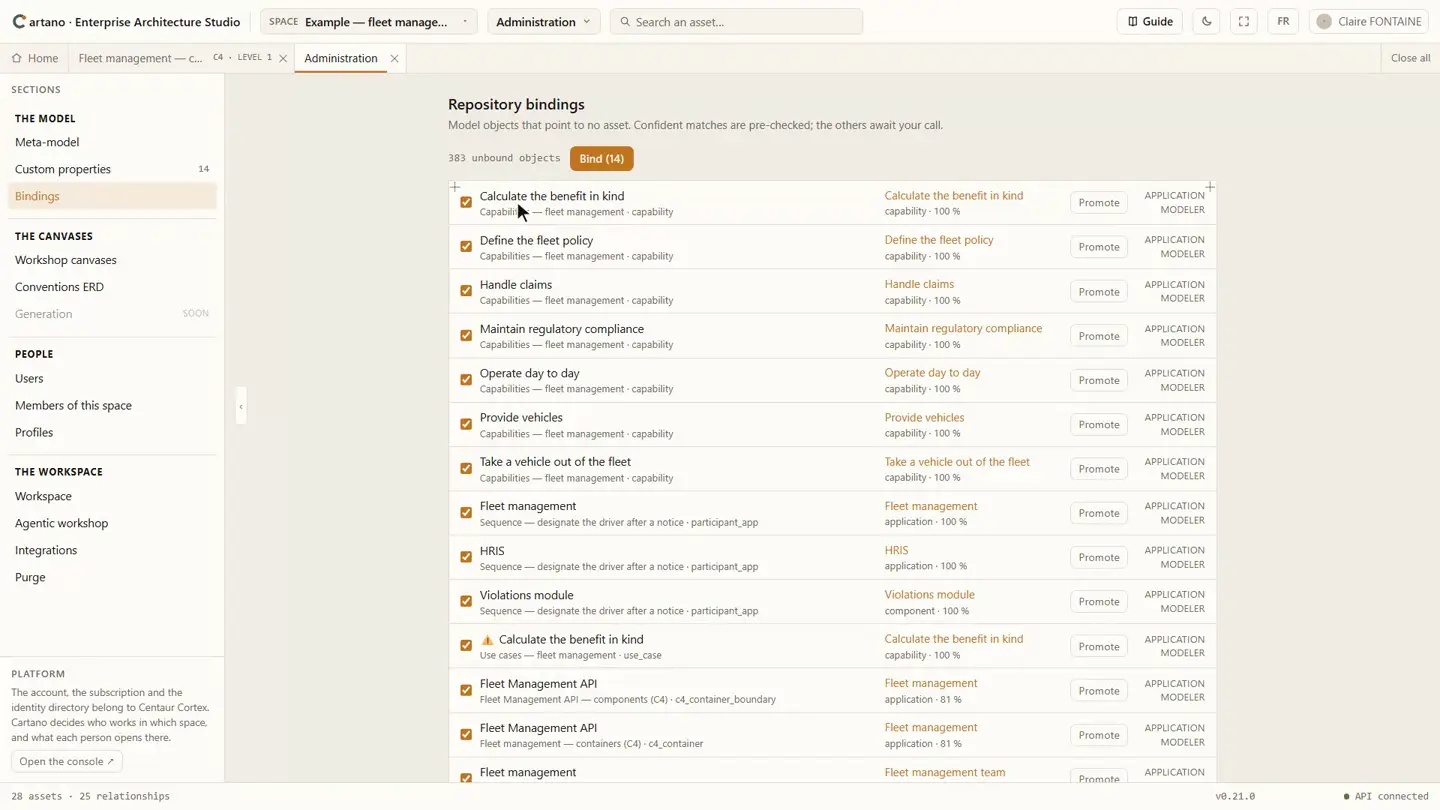
The repository is the single list of applications, components, servers, databases, flows, capabilities and other assets, with their relationships (hosts, depends on, supports…). The types can be extended per workspace. An object drawn in a view can be bound to its repository asset; the system proposes matches by name similarity, and you decide.
Several views draw on this repository:
- Application (ArchiMate 3.2): business, application and technology, with five viewpoints;
- Urbanisation plan: zone, district, block group, block, application, with six zone types (Exchanges, Operations, Reference data, Support, Steering, Integration);
- TIME portfolio: two scores per application, business value and technical quality, and the quadrant (Invest, Migrate, Tolerate, Eliminate) is derived from them;
- Matrices of activities × applications, calculated from the processes.
What Cartano checks, and what blocks
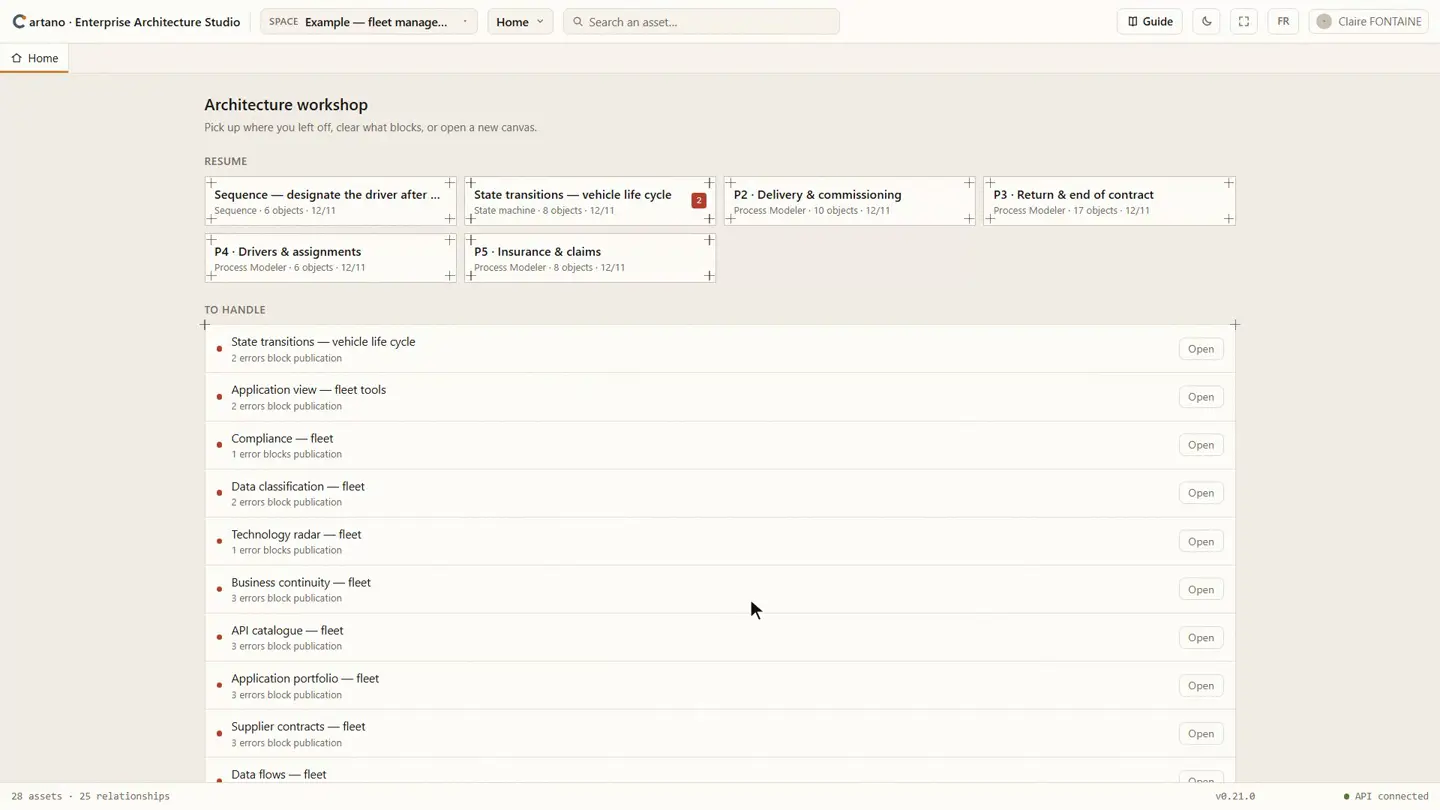
The urbanisation plan flags as errors an application placed twice and a block placed at the wrong level, and warns about an untyped zone, an empty zone or a direct exchange between districts that does not go through an exchange zone. Those warnings do not block: a plan of the existing estate almost always breaks them.
The Application view refuses an element with no relationship, a serving link that runs down a layer, or an application marked for decommissioning that still serves the business. The portfolio refuses an evolution budget on an application to tolerate or eliminate.
A model is published only without errors: publishing creates or updates a repository asset, which keeps a wrong model out of it. Assets with no owner or linked to nothing are flagged on the home screen too.
Bringing in what you have, and getting out
The repository is fed from CSV or JSON files (columns type, name, description, status, owner, relationships…). The import is simulated and reviewed before writing, and an unknown asset type is flagged, not created on the sly. draw.io drawings and Hackolade models come in too.
Conversely, everything comes out: full JSON bundle, images, Git repository. A write history says who changed what, and a gesture can be undone.
Frequently asked questions
What is IT urbanisation?
A practice born in France that organises the information system like a city: zones, districts, block groups, blocks, with exchange rules between them. It keeps an overall plan while applications evolve.
How do I map my application landscape?
In Cartano: load the applications into the repository (CSV, JSON or by hand), link them, then place them in the ArchiMate Application view, the urbanisation plan or the portfolio. Each view is checked and reuses the repository asset rather than retyping it.
What is the difference between an application map and a CMDB?
A CMDB inventories what exists, often through automatic discovery. An application map describes each application's role and relationships so you can decide. Cartano is the second: it has no CMDB connector, data comes in by file.
Is there a free or open-source IT mapping tool?
Open-source modelling tools exist, such as Archi for ArchiMate. Cartano is online and paid, with a 30-day trial and no credit card, then the Solo plan at 12 € excl. VAT per year for one author.
How do I represent an urbanisation plan?
With the Urbanisation plan canvas: typed zones contain districts, block groups and blocks, and you place the repository's applications in them. Exchanges between districts are checked.
What do I do with a map that exists in four versions?
Load it into a single repository. Each application is described once there and the views reuse it, which removes the parallel versions. The objects of your old drawings are then bound to the assets, with proposed matches.
Watch it run, rather than read about it.
A 30-day trial with no credit card on the Solo and Atelier plans. Or thirty minutes of demo, on your own cases.