 CARTANO
Canvases · C4 model
The C4 model online, with Structurizr export
Cartano draws the C4 model in your browser, on three canvases: context, containers and components, each one a zoom of the previous. It reviews the diagram as you draw, flags an arrow that does not say what it does, and exports to Structurizr DSL or C4-PlantUML.
What the C4 model settles
The C4 model, by Simon Brown, describes the architecture of a piece of software at several scales, each a zoom on a box of the previous one: the System Context (who uses the system, which other systems it talks to), the Containers (web application, API, database, message queue, everything that runs on its own) and the Components (the inside of a container).
C4 imposes no shape. It imposes an editorial discipline: every element has a name, a type, a description and a technology, and every arrow says what it does and by what means. That discipline is what Cartano checks.
How it works in Cartano
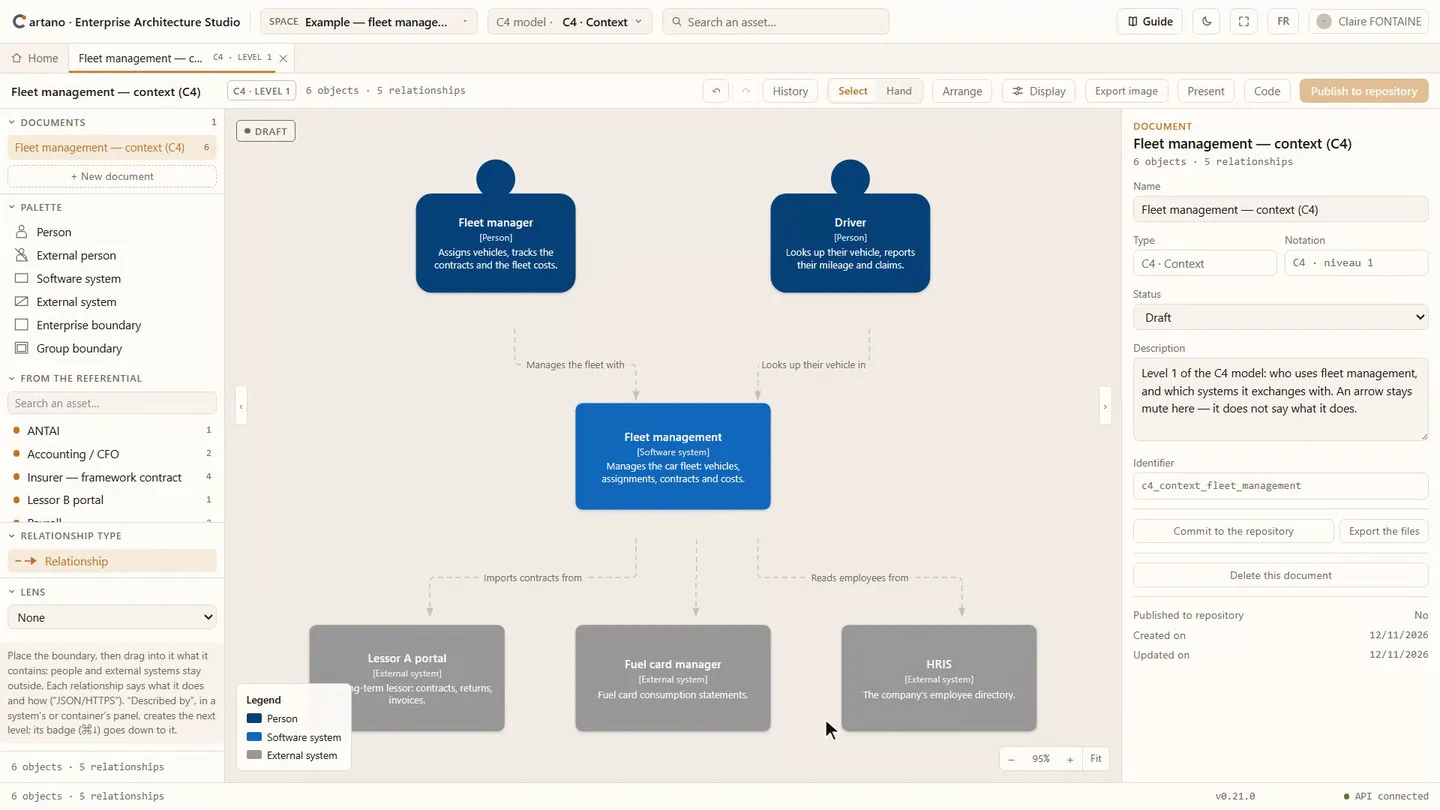
There is one canvas per level, each with its own palette: you do not drop a component into a context diagram, the classic mistake C4 teaches you to avoid. Element types are shared: a person is copied as is when you go down a level.
You draw the system boundary as a dashed line, then drop its containers inside. From the sheet of a system or a container, “Described by” creates the diagram of the next level, which is born already filled with its neighbours.
What Cartano checks as you draw
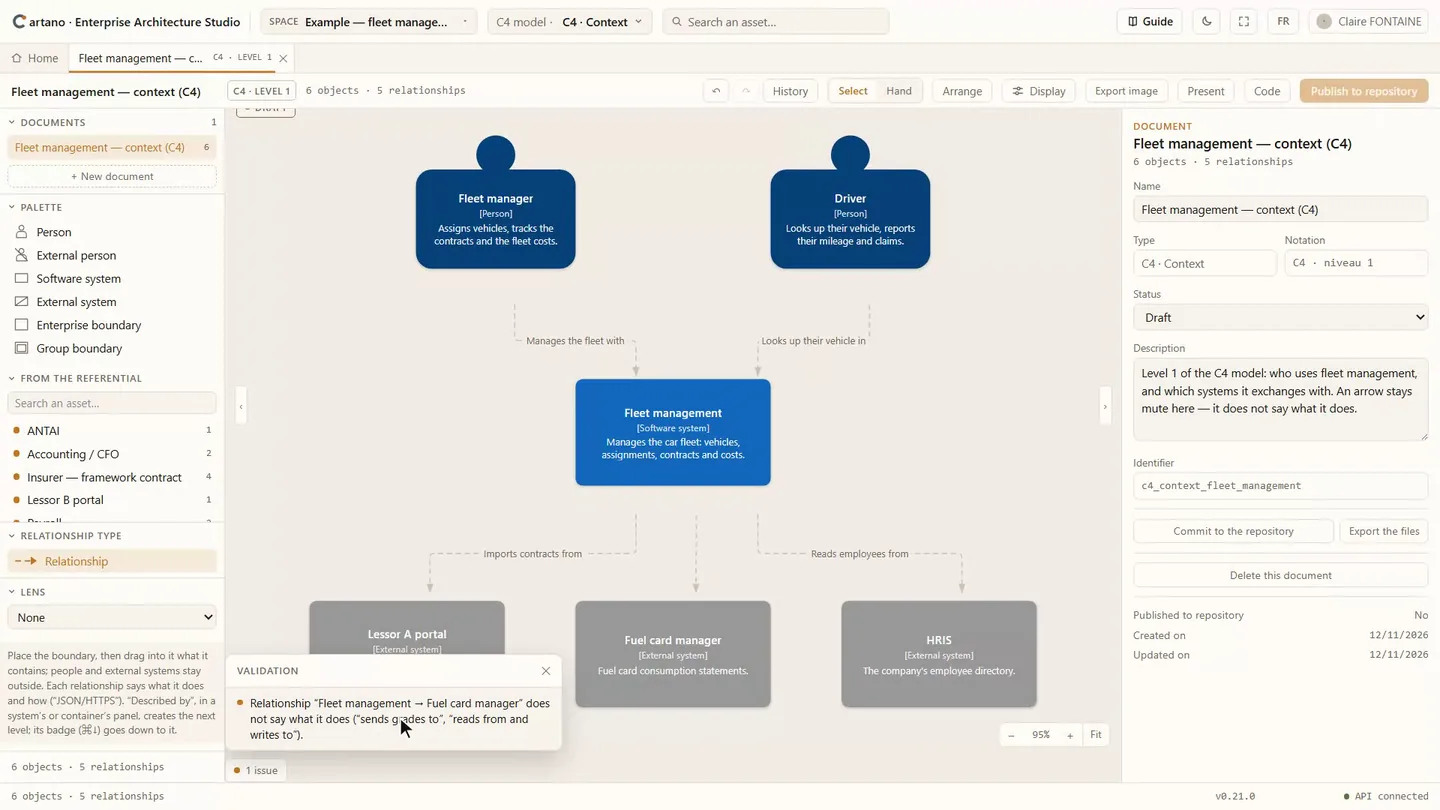
The diagram is reviewed continuously. Among the checks:
- an arrow that does not say what it does (“sends grades to”, “reads from and writes to”) or, between containers and components, how it gets there (“JSON/HTTPS”, “SQL/TCP”);
- a container or component with no technology, an element with no description, an element with no relationship;
- an element placed outside the system boundary, or inside a boundary that is not its own;
- a context diagram with no internal system or no user.
The warning goes away as soon as the arrow is described.
What comes out
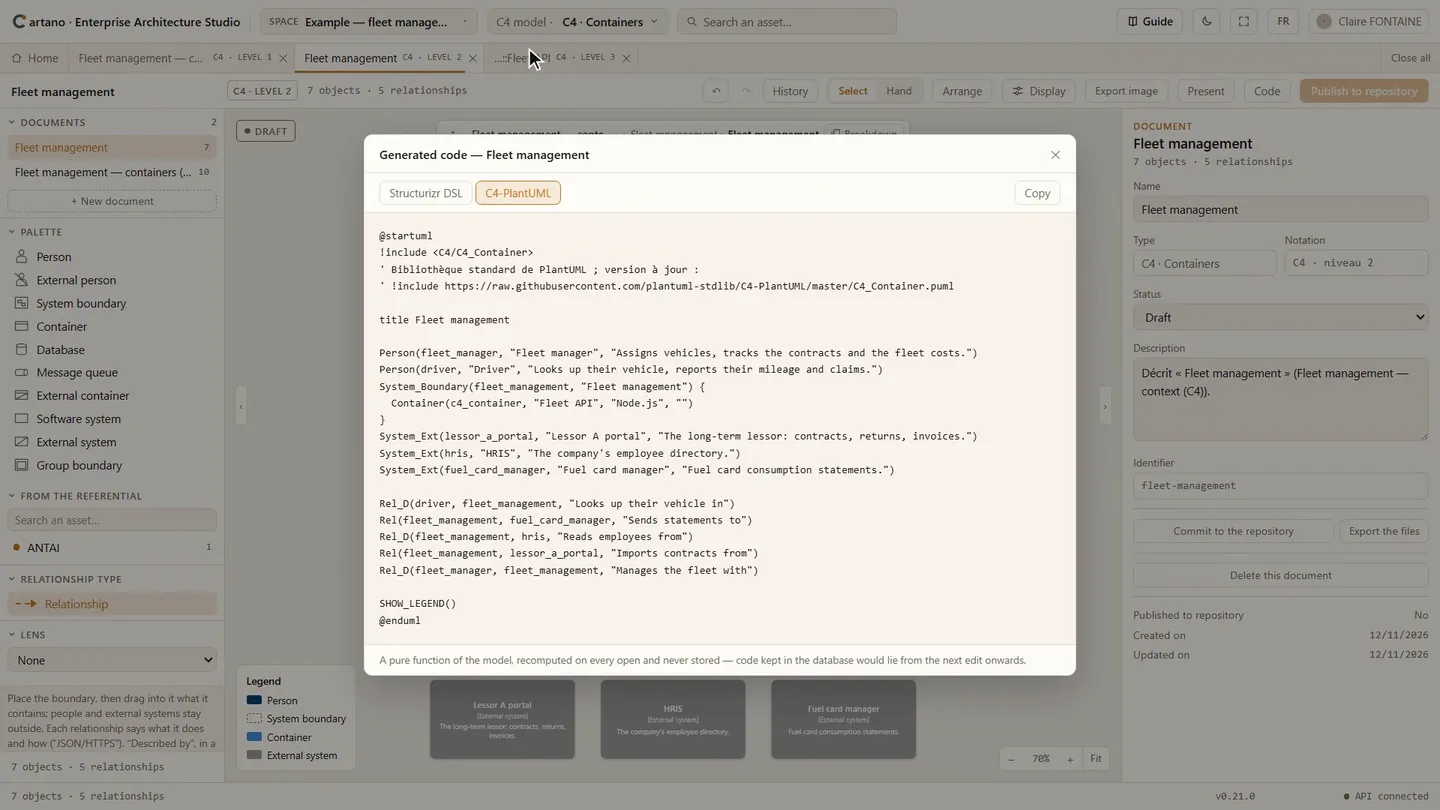
The Code button opens the generated code, with two tabs: Structurizr DSL and C4-PlantUML. Each of the three levels exports as its own view (systemContext, container, component on the Structurizr side). The code is recomputed from the model every time it is opened and never stored, so it is never stale.
The diagram also exports as an image, in PNG or SVG, and each document can be committed to a Git repository.
Frequently asked questions
What is the C4 model?
The C4 model is a way of describing the architecture of a piece of software at several scales, proposed by Simon Brown. Each diagram is a zoom on a box of the previous one: context, containers, components.
What are the levels of the C4 model?
Context (who uses the system and which other systems it exchanges with), containers (what runs on its own: web application, API, database) and components (the inside of a container). The model has a fourth level, code, which Cartano does not offer as a C4 canvas.
C4 or UML: which should I choose?
C4 is deliberately light: boxes and labelled arrows, readable by people who are not engineers. UML is a finer standard, useful when you need to describe classes, sequences or states. Cartano offers both, and UML classes extend a C4 component.
C4 or ArchiMate?
C4 describes a piece of software; ArchiMate describes the whole enterprise, from business to infrastructure. See the online ArchiMate tool: both are drawn in the same repository.
How do I export to Structurizr DSL or C4-PlantUML?
Open the diagram and click Code: the Generated code window has a Structurizr DSL tab and a C4-PlantUML tab, with a Copy button. Each level exports as its own view.
Is there a free or open-source C4 tool?
Yes: Structurizr and PlantUML let you write C4 as text. Cartano is an online drawing tool, with a 30-day trial and no credit card. What sets it apart is the review: it flags an unqualified arrow or a container with no technology as you draw.
Watch it run, rather than read about it.
A 30-day trial with no credit card on the Solo and Atelier plans. Or thirty minutes of demo, on your own cases.